FleetbaseFleetbase
Storefront · Web, iPhone and Android

Your own ordering app, free on the web, then in the App Store and Google Play

Put your Fleetbase store in front of your customers, under your name, logo and colors. See it working with your own products in minutes, and publish it free on the web. When you want the app stores, one guided checklist takes you all the way to both.

  • Free on the web
  • $499 per app for the app stores
  • Published under your name
What you can build

One app, shaped around how you sell

Storefront reads your stores, products and prices from Fleetbase. Whether it’s one shop or a whole marketplace, the app follows what you set up there.

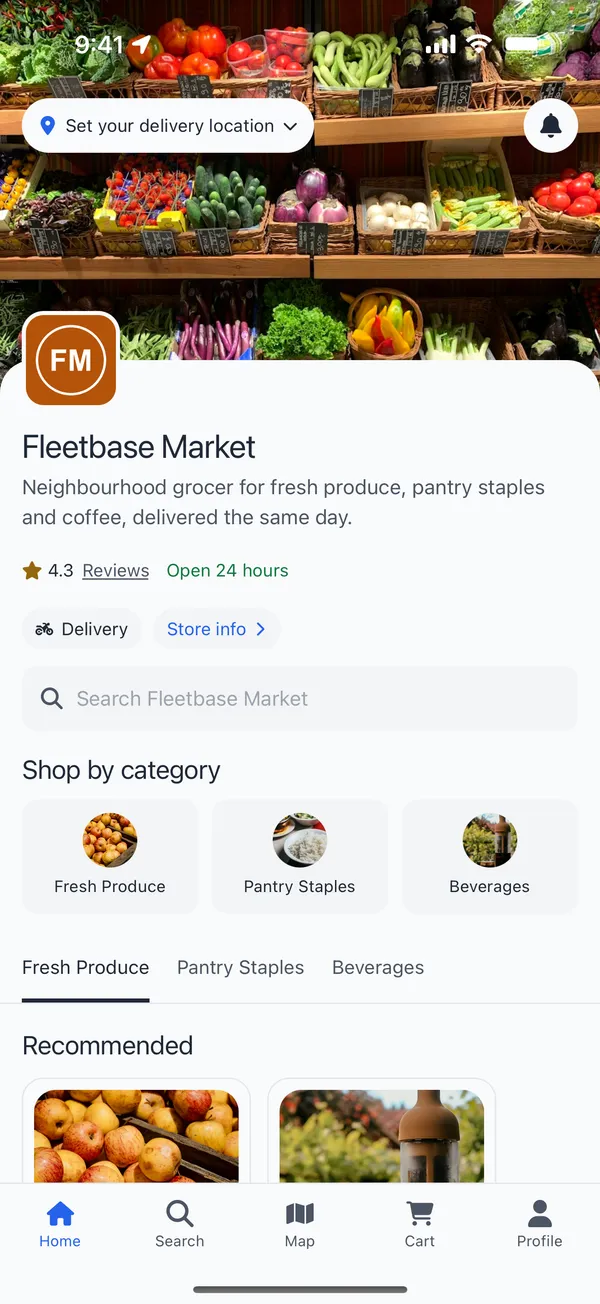
A grocery store’s app: logo, rating, opening hours, categories and search
For one shop, restaurant or brand

Single store

Your store is the whole app. Customers browse your categories, search your catalog and order for delivery or pickup.

  • Categories, search and recommended products on the home screen
  • Sizes, options and add-ons on each product, with required choices
  • Store hours, reviews and your locations on a map
  • Grocers
  • Restaurants
  • Cafés
  • Pharmacies
  • Florists
  • Retail
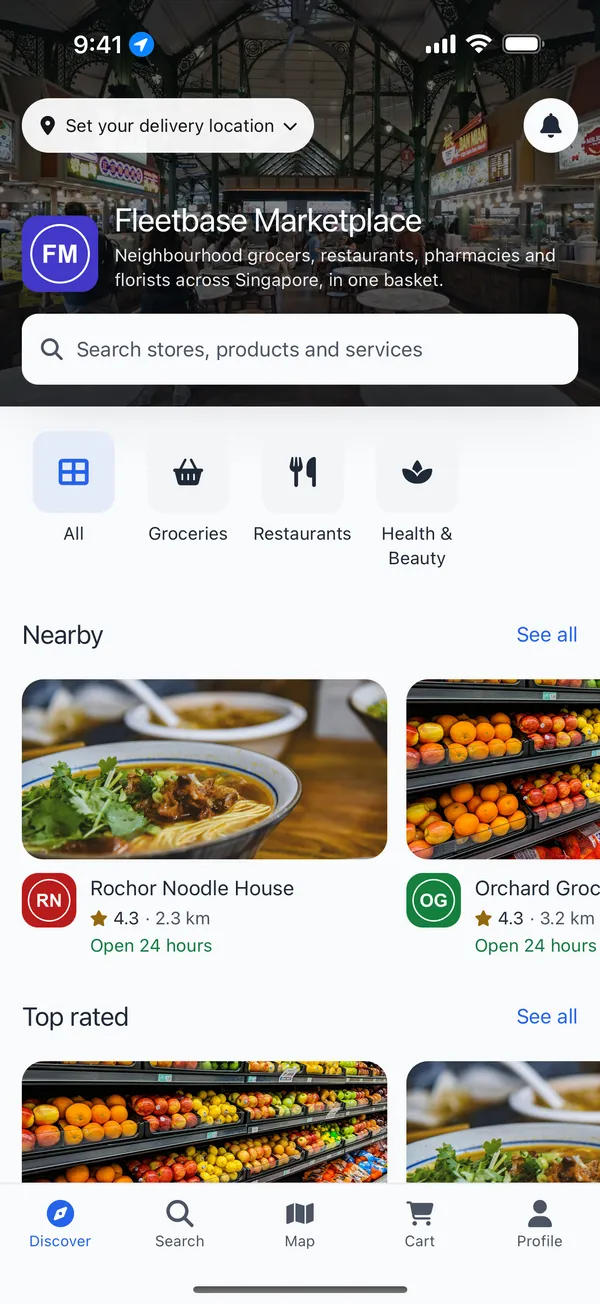
A marketplace app: store categories and stores nearby
For a network of stores under your brand

Marketplace

Bring many stores into one app. Customers find stores by category or on a map, search across every store, and order from any of them.

  • A directory of every store, nearest first, with categories you choose
  • One search across stores and products
  • Each store keeps its own catalog, hours and locations in Fleetbase
  • Optionally, one cart and one checkout across stores
  • Local delivery marketplaces
  • Food courts
  • Mall and district apps
  • Franchise groups
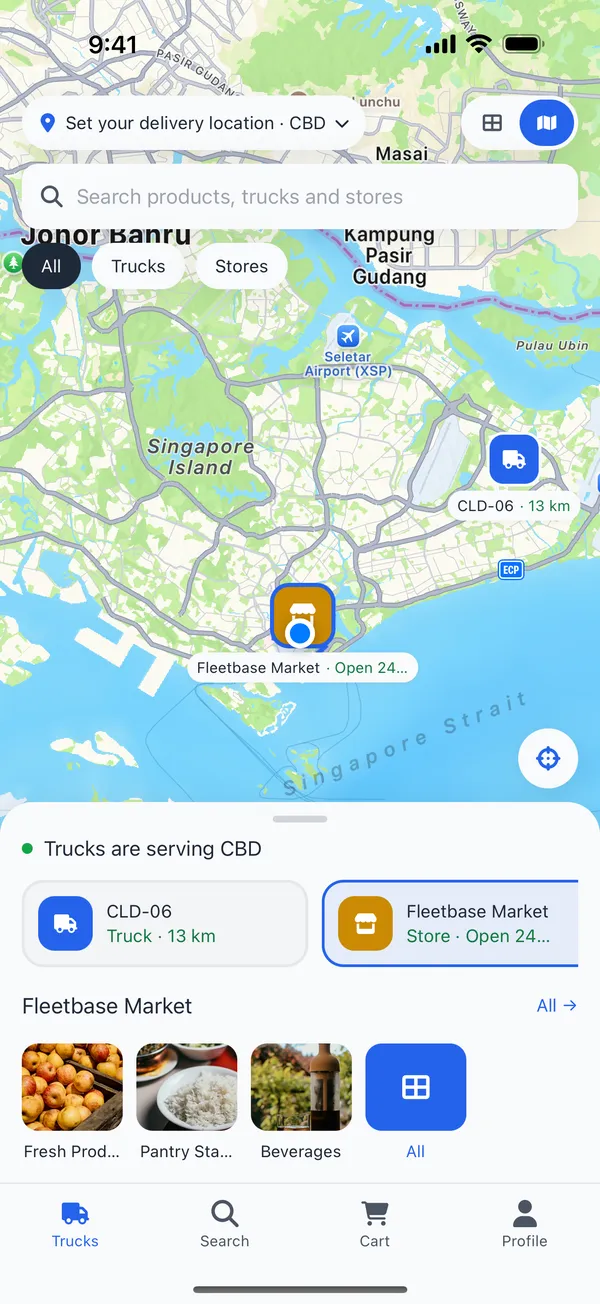
Food trucks and stores on a map, with the area each truck serves
For mobile kitchens and pop-ups

Food trucks

Open the app on a map of your trucks. Customers see which trucks are out, where they’re serving and how far away they are, then order from that truck’s menu.

  • Trucks on a map or as a list, with the area each one serves
  • A menu per truck, from your catalogs in Fleetbase
  • Works for one store’s trucks or every truck in a marketplace
  • Food trucks
  • Coffee carts
  • Market stalls
  • Event vendors
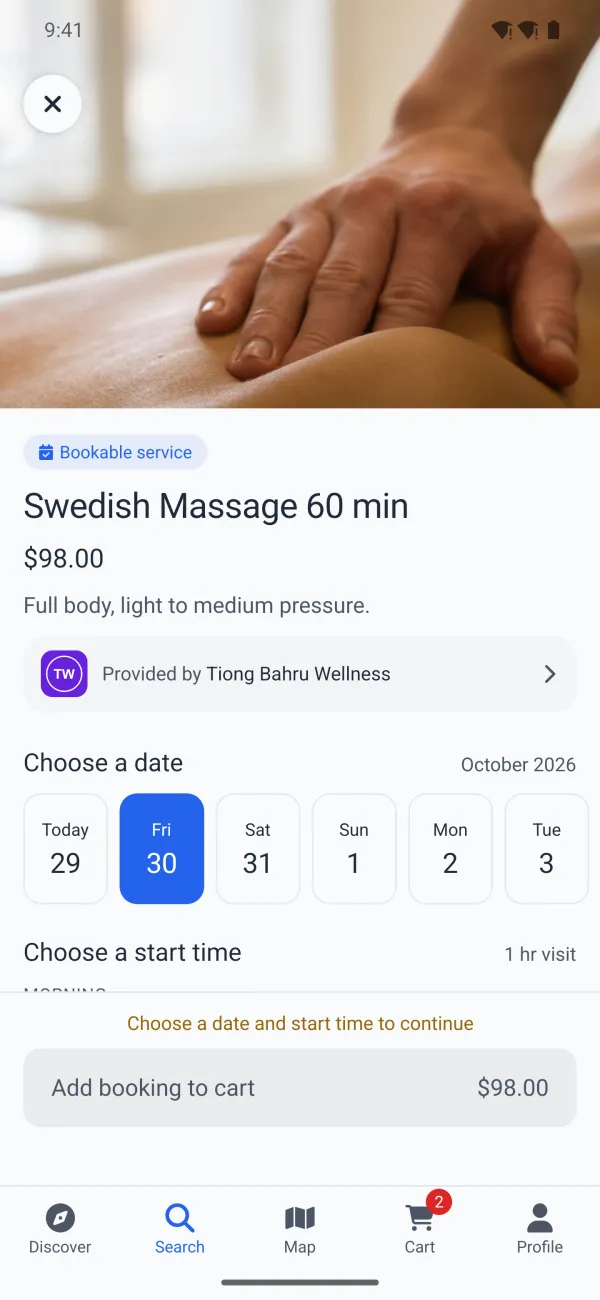
A bookable massage: photo, price, the studio that provides it and a row of days to book
For cleaning, salons, repairs and classes

Services and bookings

Sell appointments next to products. Customers pick a day and one of your open times, pay, and add the booking to their calendar.

  • Open times from your hours, each service’s length and how many you can take at once
  • Bookings go through accepted, assigned and in progress, like any order
  • In a marketplace, a services row on the home screen and services in search
  • Home cleaning
  • Salons
  • Massage
  • Repairs
  • Classes
In every app

Everything your customers expect from an ordering app

Push notifications, Apple Pay, Google Pay, and Apple and Google sign-in need the iPhone and Android apps. The web version has the rest.

  • Delivery and pickup

    Customers choose at checkout, with tips for the store and the driver. Delivery fees come from your rates in Fleetbase.

  • Live order tracking

    Every step from placed to delivered, the driver moving on the map, and chat with the driver or the store.

  • Cards, Apple Pay, Google Pay

    Payments go to your own Stripe account, with saved cards. QPay for Mongolia.

  • Quick sign-in

    A code by text message, Sign in with Apple and Sign in with Google.

  • Push notifications

    Customers hear when their order is accepted, on its way and delivered, and when you have a new offer.

  • Offers and promo codes

    Percent off, money off, free delivery and buy one get one, applied on their own or with a code.

  • Store reviews

    Stars, a few words and photos from customers who ordered, on each store’s page.

  • Accounts

    Saved addresses with a map pin, order history with receipts, and a profile customers can edit or delete.

  • Your brand and languages

    Your logo, colors and fonts in light and dark. English, Mongolian and Ukrainian.

How it works

From your Fleetbase store to the web and both app stores

Publishing to the web is free. You only pay for the app stores, and from there the checklist tells you exactly what to do next, and checks each step for you.

  1. 1
    About 1 minute

    Connect your store

    Sign in with Fleetbase Cloud, or enter your own server’s address and keys. No Fleetbase yet? Start with a sample grocery store.

  2. 2
    About 5 minutes

    Make it yours

    Add your logo, icon, colors and fonts, and choose how ordering, payments and sign-in work. The preview updates as you go.

  3. 3
    Any time

    Try it on your phone

    Scan a code to open your app on your own phone, and send a link so others can look too.

  4. 4
    Free, any time

    Publish to the web

    Choose an address like yourstore.apphelm.io and go live. Customers can order and pay, and you can share the link today.

  5. 5
    Days, waiting on Apple and Google

    Launch in the app stores

    Pay $499 and follow the checklist. We build and sign the app, make the screenshots and listing, and submit it from your accounts.

Pricing

Free on the web, one payment for the app stores

On the web

Free

No card needed. Publish when your store is ready to take orders.

  • Your app live at an address like yourstore.apphelm.io
  • Customers can order and pay, by card with your own Stripe account or by QPay
  • No Apple or Google developer account needed
  • Change the address or take it offline any time
  • Your own domain whenever you want it, for $50 one time
Start free

In the App Store and Google Play

$499per app, one time

No subscription required. Full refund within 14 days, as long as no build has started.

  • Your app for iPhone and Android, from the same setup
  • A step-by-step checklist that checks each step for you
  • Signed builds, screenshots and store listings, done for you
  • Your app’s code in a GitHub repository you own
  • Keep it up to date with AutoCare, or $50 per update
  • Your web app on your own domain
Start with Storefront

Paid to others, not to us

From your own accounts, and Apple and Google only for the app stores. The checklist walks you through each one.

Apple Developer Program
$99 a year
Google Play Console
$25 once
Google Maps and Firebase
Free at most sizes
Fleetbase Cloud, or your own server
Your current plan

Card fees go to Stripe or QPay, from the orders your customers pay for.

Questions

Before you start

Is the web version really free?

Yes. Publishing to the web costs nothing, and needs no card and no Apple or Google account. You need your own Fleetbase store connected, a verified email and a way for customers to pay. The sample store can’t take orders.

Can I use my own domain?

Yes. Add one DNS record to put your web app on an address like app.yourstore.com. It’s $50, one time, or included when you launch to the app stores. Bare domains like yourstore.com aren’t available.

Do I need Fleetbase?

Yes. The app runs on Storefront in Fleetbase, where you manage your stores, products, orders and drivers. It works with Fleetbase Cloud or your own server. You can preview with a sample store before you connect.

Whose name is on the app?

Yours. Apple and Google require a business’s app to be published from its own developer account, so your app ships from your accounts, under your name. We never ask for your Apple or Google password.

I don’t have Apple or Google developer accounts yet

That’s fine. The checklist covers creating them. Apple can take a few days to a few weeks to approve a business account, and may need a D-U-N-S number first. Starting early helps.

How long until my app is live?

Setup, preview and publishing to the web take minutes. In the app stores, it depends on Apple and Google: account approval if you’re new, then app review, which usually takes one to a few days. The checklist shows what you’re waiting on.

Can I change my app after it’s live?

Products, prices, stores and hours change in Fleetbase and show up in the app right away. A new logo, colors or settings reach your web app within a minute, and need a new version of the app in the stores.

Do I own the app?

Yes. The code is in a GitHub repository in your account, and the store listings are in your Apple and Google accounts. Storefront is open source, so a developer can take it further.

Can I get a refund?

Yes, a full refund within 14 days, as long as no build of your app has started.

What about a driver app?

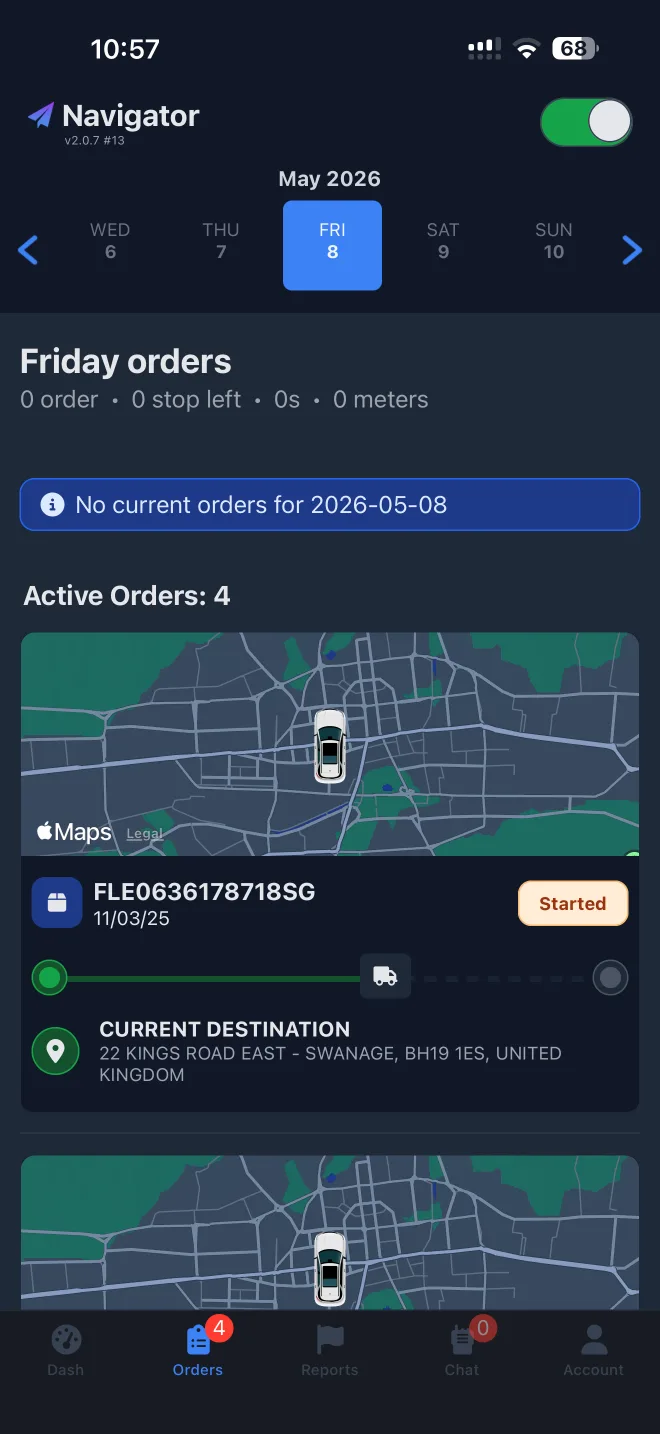
Navigator, the app for your drivers, is coming next. It will launch the same way.

Start free, on the web

Connect your store, add your brand, and try it on your phone. It takes a few minutes, and publishing to the web is free.

Start with Storefront

Navigator, for your drivers. Jobs, turn-by-turn navigation and proof of delivery, connected to your Fleetbase. Coming soon.