
Your own ride-hailing app, in the App Store and Google Play
Give your riders an app with your name, logo and colors. They book a car, watch their driver arrive, pay and rate the trip, and every ride runs on your Fleet-Ops with your own drivers. One guided checklist takes you to both app stores.
- $499 per app, one time
- iPhone and Android
- Published under your name
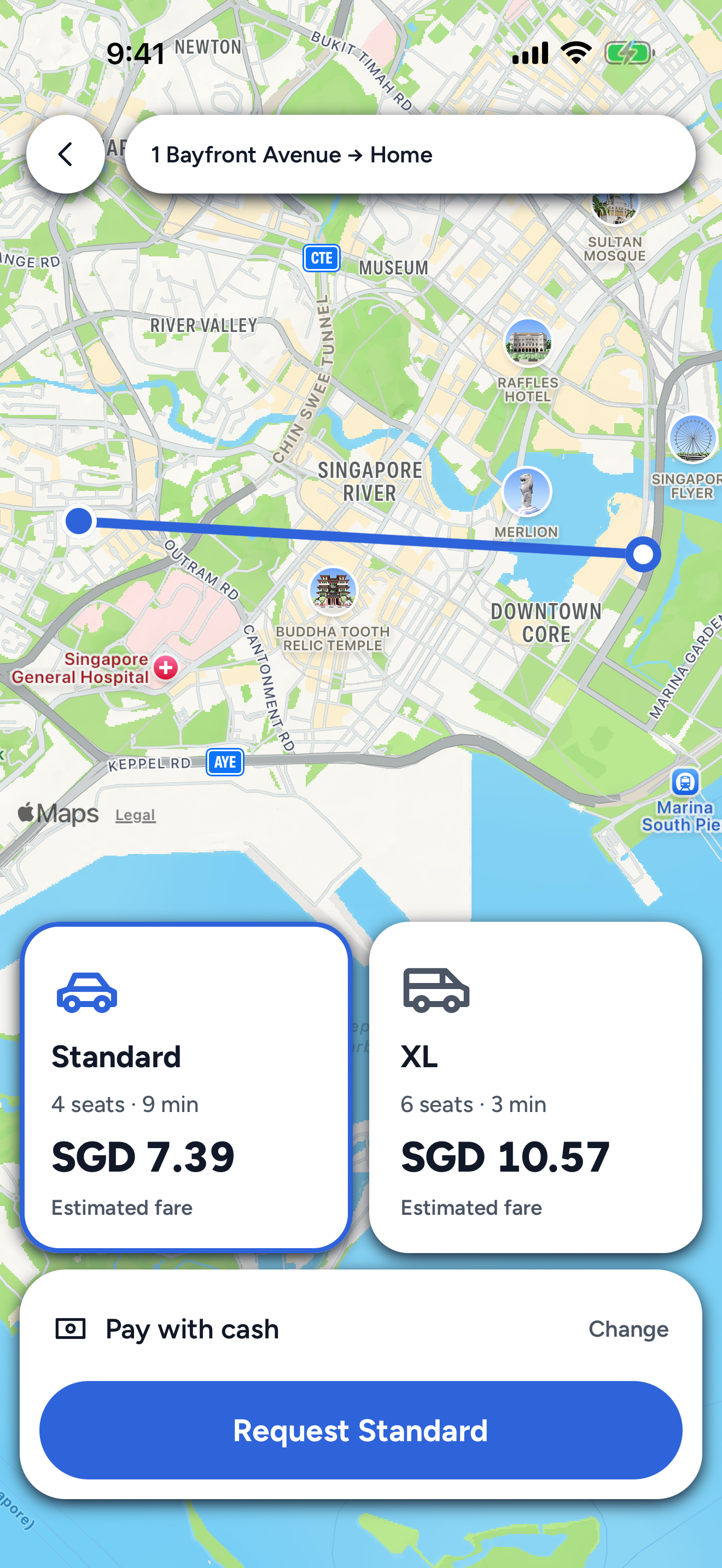
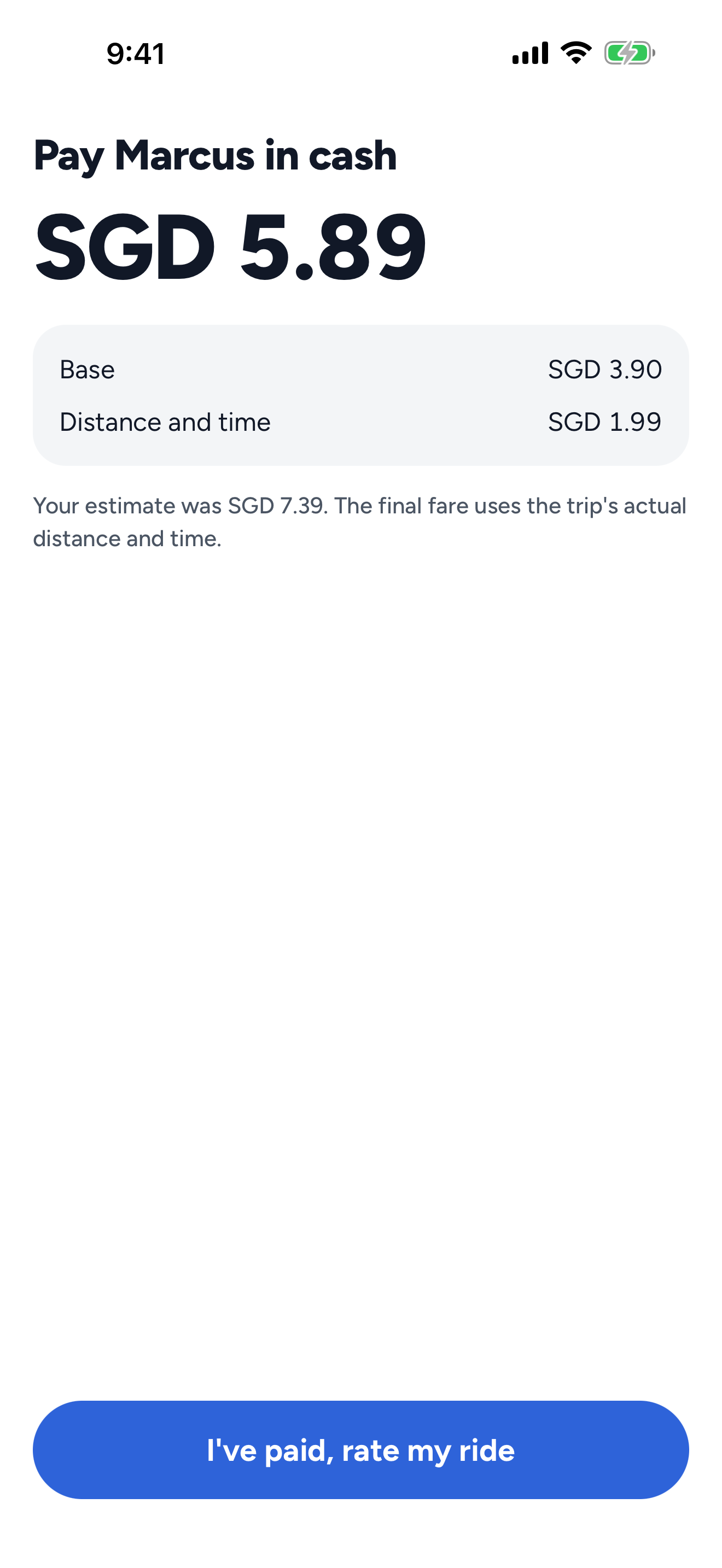
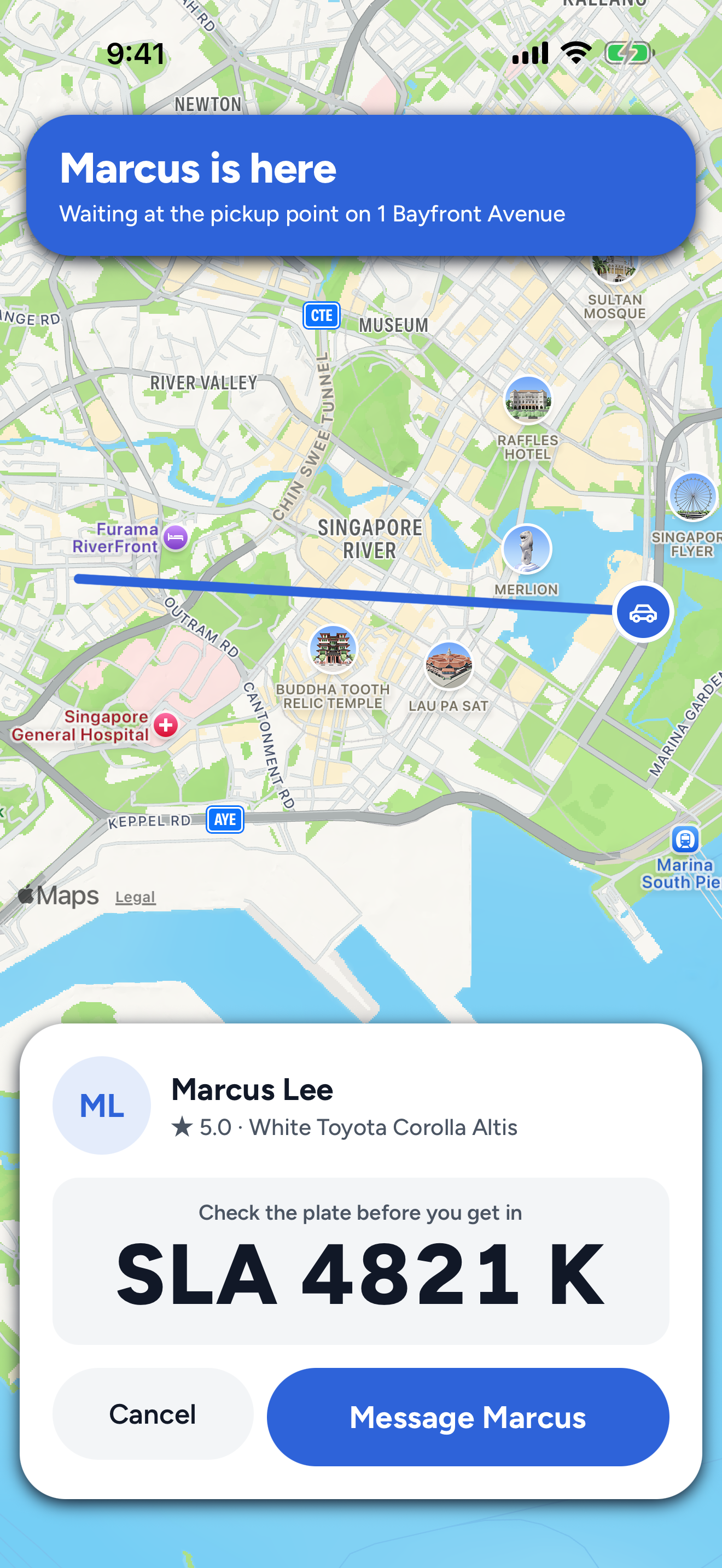
The whole ride, from booking to receipt
Passenger is Fleetbase’s open-source rider app for taxi and private-hire operators. Your drivers take the trips on Navigator.
Book in a few taps
Pickup and drop-off by search, saved places or the map. Every car class shows its seats, pickup time and an estimated fare.
Offered to your nearest driver
Requests go to your online drivers on Navigator, one at a time, through Fleet-Ops dispatch. Riders hear if nobody is free.
Follow the trip live
The car on the map with its ETA, the driver and number plate, chat with the driver, a trip link to share and an emergency call.
Pay the real fare
The final fare comes from the trip’s actual distance and time. Riders pay the driver in cash, or by card through Ledger, then rate the driver.
Before you start
Passenger books real trips on your Fleet-Ops, so it needs your fleet set up there first.
- Fleetbase with Fleet-Ops v0.7.2 or later: Fleetbase Cloud, or your own server
- Service rates whose service type matches your vehicles’ type: each one is a car class
- Drivers on Navigator, online with a vehicle
- A push app in Fleet-Ops, Settings, Push Apps, for trip notifications
- For card payments, Ledger with a payment gateway
- An Apple Developer account and a Google Play Console account, in your name
From your Fleet-Ops to both app stores
- Step 1
Connect
Paste your Fleetbase public key. AppHelm reads your organization, nothing else.
- Step 2
Make it yours
Your app name, color, logo and icon, your emergency number and your support contacts. Try it in the live preview with a sample trip in your city.
- Step 3
Follow the checklist
Your Apple and Google accounts, code signing, push notifications, screenshots, store listing and App Review sign-in. Each step is checked for you.
- Step 4
Publish
AppHelm builds your iPhone and Android apps and submits them from your own accounts.
One payment for both app stores
In the App Store and Google Play
$499per app, one time
No subscription required. Full refund within 14 days, as long as no build has started.
- Your app for iPhone and Android, from the same setup
- A step-by-step checklist that checks each step for you
- Signed builds, screenshots and store listings, done for you
- Your app’s code in a GitHub repository you own
- Keep it up to date with AutoCare, or $50 per update
Paid to others, not to us
From your own accounts. The checklist walks you through each one.
- Apple Developer Program
- $99 a year
- Google Play Console
- $25 once
- Google Maps and Firebase
- Free at most sizes
- Fleetbase Cloud, or your own server
- Your current plan
Before you start
Is Passenger ready for real riders?
Passenger is new. Every trip runs on your Fleet-Ops, and your first test build goes to TestFlight and a Google Play internal test, so you can book real trips with your own drivers before anyone else sees the app.
Is there a free web version?
Not for Passenger. The free web version is for Storefront apps. Passenger is published to the App Store and Google Play.
How do Apple’s reviewers sign in?
Turn on review sign-in in Fleet-Ops, Settings, Customer Apps, and copy its number and code into the checklist. Reviewers sign in without a text, and their trips are marked as App Review trips.
Can I change how dispatch, cancellation or pricing works?
Yes. The ride is Fleet-Ops’ Passenger order config: offer times, what happens when nobody accepts, until when riders can cancel and what they’re told at each step are all set in the Console.
Do I own the app?
Yes. It’s published from your own Apple and Google accounts under your name, and its code is in a GitHub repository you own.
See your app in a few minutes
Connect your Fleetbase, add your brand, and try a sample trip in the live preview before you pay.